
Siren
Siren is a D&D Bot built for Discord, written in Rust. Features include:
- Play tracks from Youtube or locally hosted files
- Assistant DM tools to be defined later
- ChatGPT integration
## Requirements
- [Docker](https://www.docker.com/)
- **Optional**: [Docker Compose](https://docs.docker.com/compose/install/)
## Running
1. Setup the Discord Developer Application and bot
2. Create `.env.local` and override any variables from `.env`
- At minimum, `DISCORD_TOKEN` must be set. See [instructions](#setup-discord-developer-application) for additional steps.
3. Build the Docker application with `make build`
4. Start the application with `make up`
Setting up the Discord Developer Application
Visit the [Discord Developer Portal](https://discord.com/developers/applications) and create a new application. Click [here](https://discord.com/developers/docs/intro) for guides and more information.
Required Scopes:
```
bot
application.commands
```
Example Invite:
```
https://discord.com/api/oauth2/authorize?client_id=&permissions=40671259392832&scope=bot%20applications.commands
```
The CLIENT_ID can be found in the General Information tab on the Discord Developer Portal for your application, under `Application ID`
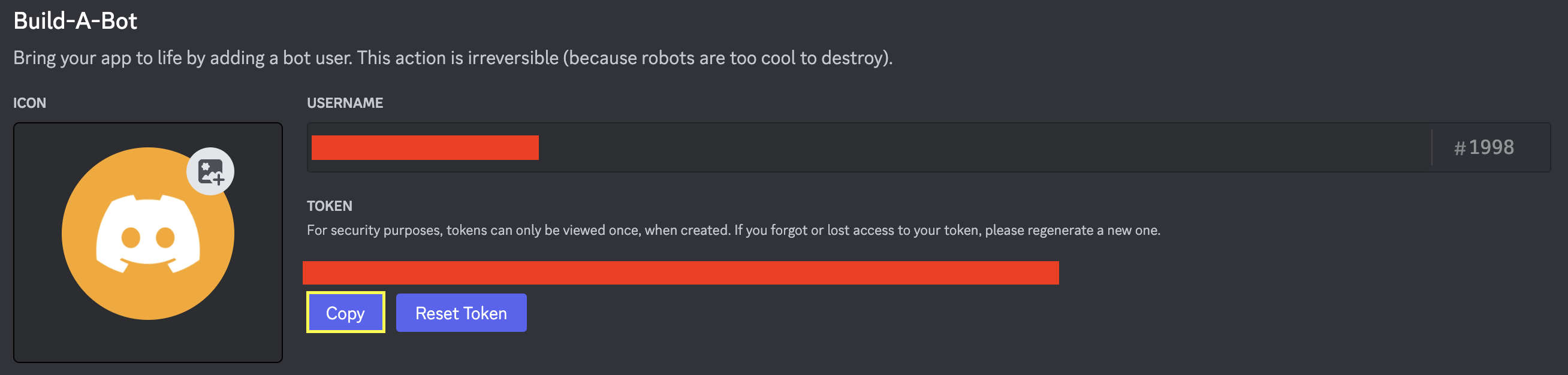
The DISCORD_TOKEN (used in the `.env file`) can be found under the Bot tab on the Discord Developer Portal for your application.
### Commands
Siren utilizes Discord slash commands. To view the commands, run `/help` in a server where the bot is installed. The following commands are available:
| Command | Description |
| --- | --- |
| `/play` | Play a track from Youtube or locally hosted files |
| `/pause` | Pause the current track |
| `/resume` | Resume the current track |
| `/skip` | Skip the current track |
| `/stop` | Stop the current track |
| `/queue` | ***TODO*** - Display the current queue |
| `/clear` | ***TODO*** - Clear the current queue |
| `/shuffle` | ***TODO*** - Shuffle the current queue |
| `/loop` | ***TODO*** - Loop the current track |
| `/nowplaying` | ***TODO*** - Display the current track |
| `/volume` | Set the volume of the bot |
| `/ping` | Display the bot's latency |
| `/roll` | Roll a dice |
| `/help` | ***TODO*** - Display a list of commands |
## Contributing
[Rust](https://www.rust-lang.org/) must be installed to run locally. See [serenity-rs/serenity](https://github.com/serenity-rs/serenity) for more information about Rust Discord API Library.
The following packages must be installed for [serenity-rs/songbird](https://github.com/serenity-rs/songbird). View the repository for additional installation and setup information on other operating systems.
Unix Installation
Notes:
- [yt-dlp](https://github.com/yt-dlp/yt-dlp/releases) is preferred over youtube-dl.
```
sudo apt install libopus-dev
sudo apt install ffmpeg
sudo apt apt install youtube-dl # See notes above
# PostgreSQL Headers
sudo apt install libpq5
sudo apt install libpq-dev
```
- Potentially requires [yt-dlp](https://github.com/yt-dlp/yt-dlp#installation) and [yt-dlp FFmpeg Static Auto-Builds](https://github.com/yt-dlp/FFmpeg-Builds).
Mac Installation
Notes:
- [Homebrew](https://brew.sh/) must be installed to run the following commands.
- [youtube-dl](https://formulae.brew.sh/formula/youtube-dl#default) is deprecated, [yt-dlp](https://formulae.brew.sh/formula/yt-dlp) is preferred
```
brew install opus
brew install ffmpeg
brew install yt-dlp # See notes above
brew install postgresql
```
### Running Locally
1. Start the backend containers with `make docker-refresh`
2. Start the application with `make run`
The application can also be tested from within a Docker container:
```
docker build -t siren:latest .
docker run --env-file .env -it --rm --name siren siren:latest
```