
Siren
Siren is a D&D Bot built for Discord, written in Rust. Features include:
- Music commands from Youtube and locally hosted files
- Database for D&D 5e content
- Session scheduling
- Backend API
- ChatGPT integration
## Requirements
- [Docker](https://www.docker.com/)
- **Optional**: [Docker Compose](https://docs.docker.com/compose/install/)
## Running
1. Setup the Discord Developer Application and bot
2. Create `.env.local` and override any variables from `.env`
- At minimum, `DISCORD_TOKEN` must be set. See [instructions](#setup-discord-developer-application) for additional steps.
3. Build the Docker application with `make build`
4. Start the application with `make up`
Setting up the Discord Developer Application
Visit the [Discord Developer Portal](https://discord.com/developers/applications) and create a new application. Click [here](https://discord.com/developers/docs/intro) for guides and more information.
#### Oauth2
**Required Scopes**:
- bot
- applications.commands
**Required Bot Permissions**:
- General Permissions
- Manage Roles
- Change Nickname
- View Channels
- Manage Events
- Create Events
- Text Permissions
- Send Messages
- Create Public Threads
- Create Private Threads
- Send Messages in Threads
- Manage Messages
- Manage Threads
- Embed Links
- Attach Files
- Read Message History
- Mention Everyone
- Use External Emojis
- Use External Stickers
- Add Reactions
- Create Polls
- Voice Permissions
- Connect
- Speak
Example Invites:
```
https://discord.com/api/oauth2/authorize?client_id=&permissions=40671259392832&scope=bot%20applications.commands
```
```
https://discord.com/oauth2/authorize?client_id=&permissions=581083641408576&integration_type=0&scope=bot+applications.commands
```
The CLIENT_ID can be found in the General Information tab on the Discord Developer Portal for your application, under `Application ID`
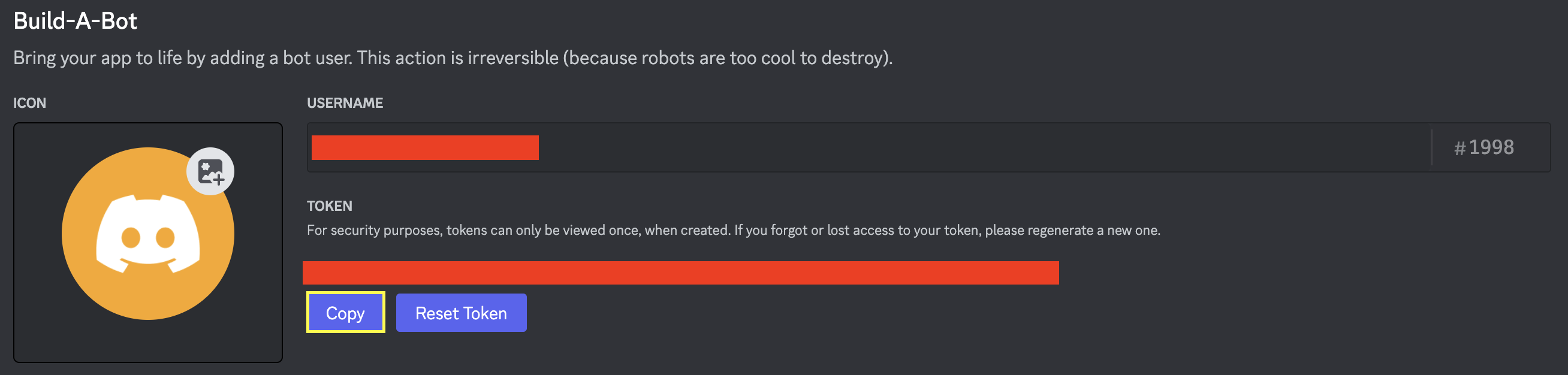
The DISCORD_TOKEN (used in the `.env file`) can be found under the Bot tab on the Discord Developer Portal for your application.
### Commands
Siren utilizes Discord slash commands. To view the commands, run `/help` in a server where the bot is installed. The following commands are available:
**Music Commands**
| Command | Description |
| --- | --- |
| `/play